> ## Documentation Index
> Fetch the complete documentation index at: https://docs.trackerbot.xyz/llms.txt
> Use this file to discover all available pages before exploring further.
# Travel and Map
 ## Starting Travel
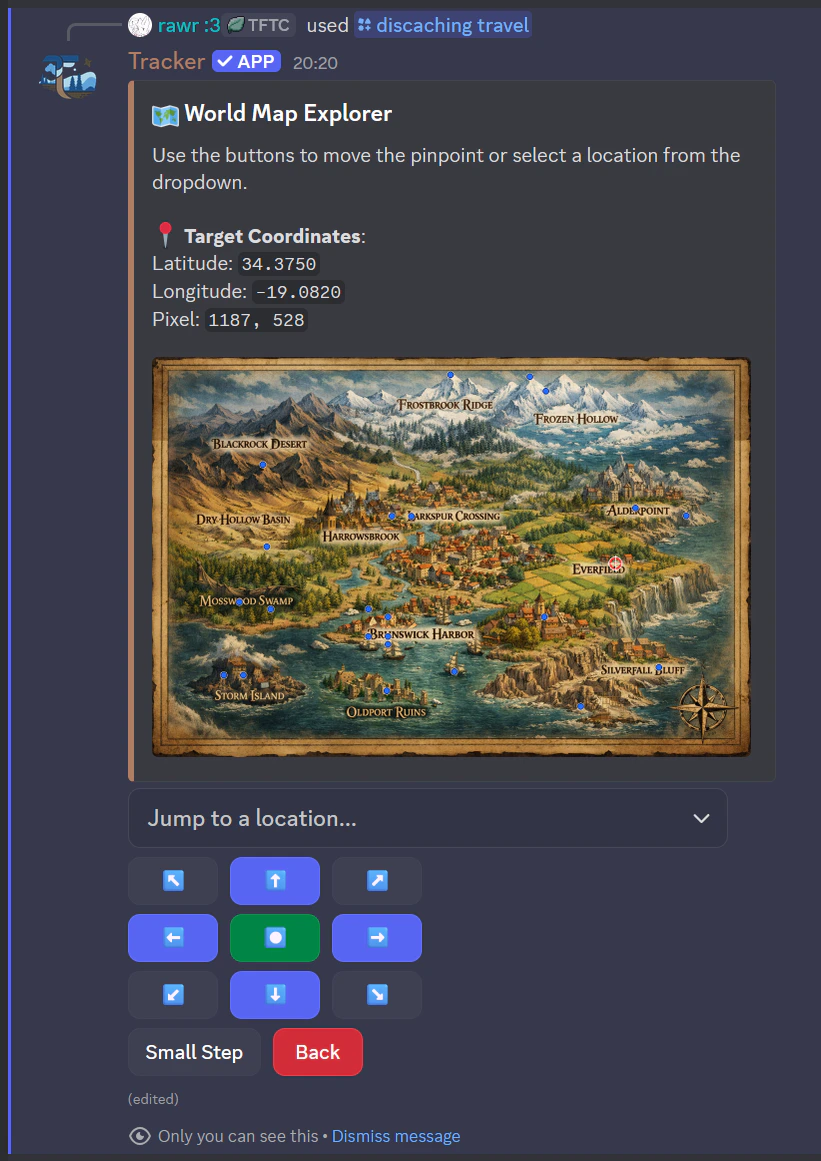
Use `/discaching travel` in two ways:
1. Without cache ID: opens world map picker.
2. With cache ID: routes directly to that cache.
3. With cancel\_current: cancels active travel.
If already travelling, you must wait or cancel first.
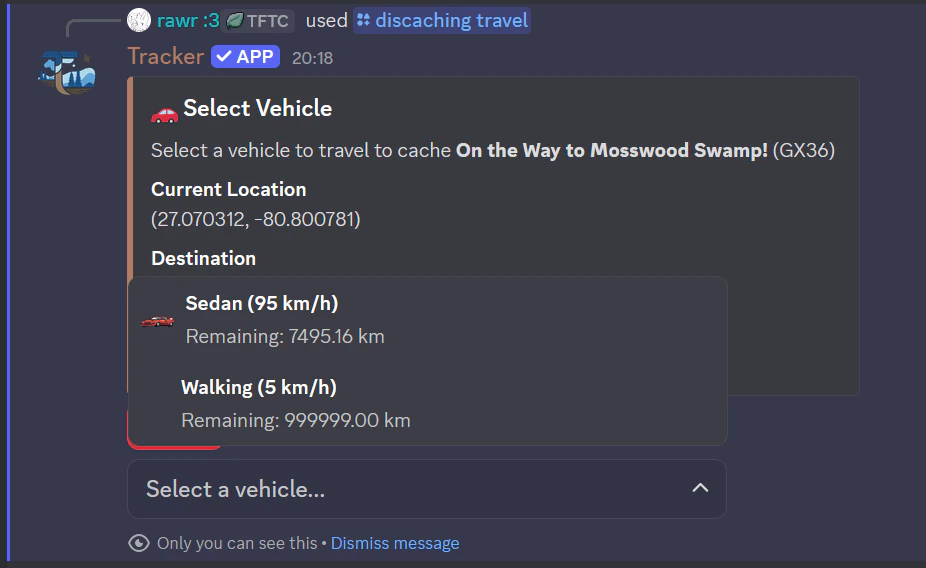
## Vehicle System
Every vehicle has:
* Speed (km/h)
* Maximum distance per trip or remaining usage
Vehicle Speeds & Limits:
Walking: 5 km/h, infinite range,\
Bike: 30 km/h, 100 km range,\
Scooter: 15 km/h, 25 km range,\
Skateboard: 20 km/h, 20 km range,\
Sedan: 95 km/h, 7500 km range,\
Truck: 80 km/h, 10000 km range,\
Quad: 70 km/h, 7000 km range,\
Taxi (ticket): 65 km/h, 50 km range,\
Bus (ticket): 55 km/h, 100 km range
## Starting Travel
Use `/discaching travel` in two ways:
1. Without cache ID: opens world map picker.
2. With cache ID: routes directly to that cache.
3. With cancel\_current: cancels active travel.
If already travelling, you must wait or cancel first.
## Vehicle System
Every vehicle has:
* Speed (km/h)
* Maximum distance per trip or remaining usage
Vehicle Speeds & Limits:
Walking: 5 km/h, infinite range,\
Bike: 30 km/h, 100 km range,\
Scooter: 15 km/h, 25 km range,\
Skateboard: 20 km/h, 20 km range,\
Sedan: 95 km/h, 7500 km range,\
Truck: 80 km/h, 10000 km range,\
Quad: 70 km/h, 7000 km range,\
Taxi (ticket): 65 km/h, 50 km range,\
Bus (ticket): 55 km/h, 100 km range
 ## Partial Travel
If destination is farther than your selected vehicle can cover:
* You travel part of the way
* Remaining distance is shown
* Travel state stores a partial target
## Arrival and Position
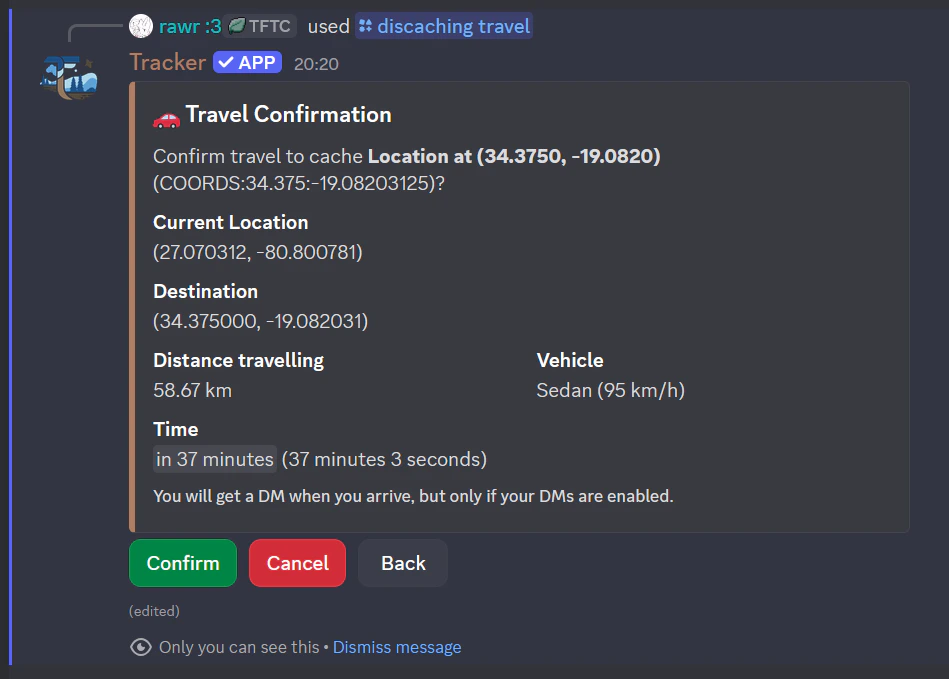
Use `/discaching location` to check:
* Current coordinates
* Whether you are traveling
* Estimated arrival time
Use `/discaching distance_to_cache [cache_id]` for route checks.
## Map controls
Map view supports:
* Direction buttons
* Step size toggle
* Jump-to-location dropdown
* Confirm travel to selected coordinates
## Partial Travel
If destination is farther than your selected vehicle can cover:
* You travel part of the way
* Remaining distance is shown
* Travel state stores a partial target
## Arrival and Position
Use `/discaching location` to check:
* Current coordinates
* Whether you are traveling
* Estimated arrival time
Use `/discaching distance_to_cache [cache_id]` for route checks.
## Map controls
Map view supports:
* Direction buttons
* Step size toggle
* Jump-to-location dropdown
* Confirm travel to selected coordinates