> ## Documentation Index
> Fetch the complete documentation index at: https://docs.trackerbot.xyz/llms.txt
> Use this file to discover all available pages before exploring further.
# Hide and Find
 ## Hiding a Cache
Use `/discaching hide`.
### What you need
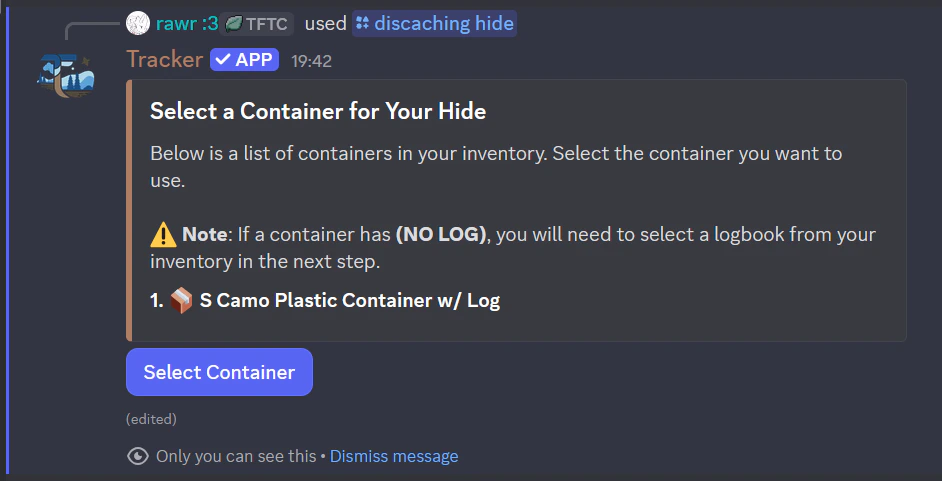
* A container in inventory.
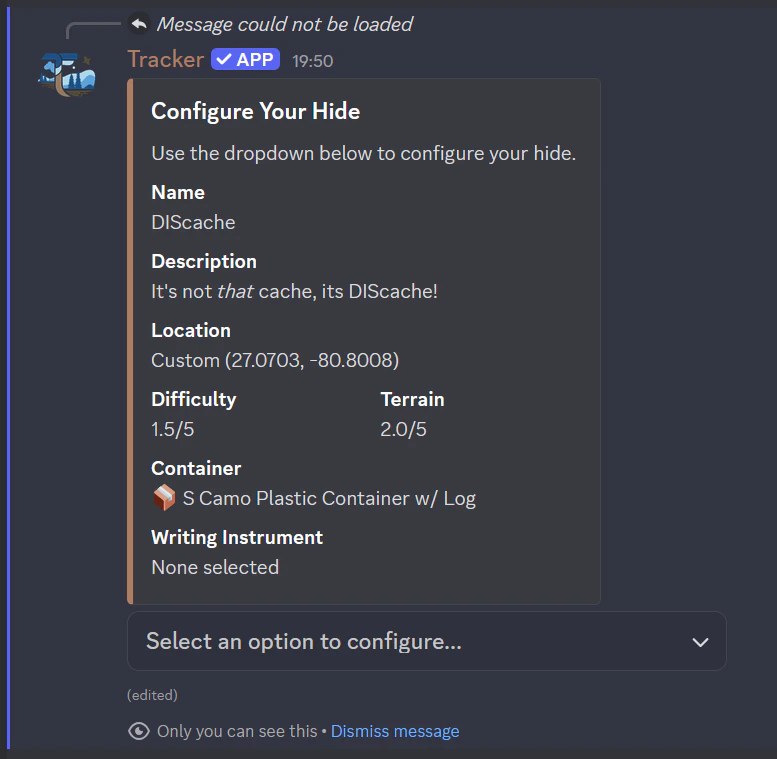
* Required hide details:
* Name
* Description
* Location
* Difficulty
* Terrain
* Container choice
* Pen (optional)
### Location rules
* You can select the location via the map.
* If another published cache is too close, you cannot place a cache there.
* If the selected location is too far from your current position, you need to travel there first.
### Container and logbook behavior
* Containers can have size/color/log modifiers.
* If container has no logbook, you must choose one to hide it.
* Larger containers can include an optional writing instrument.
### Publish flow
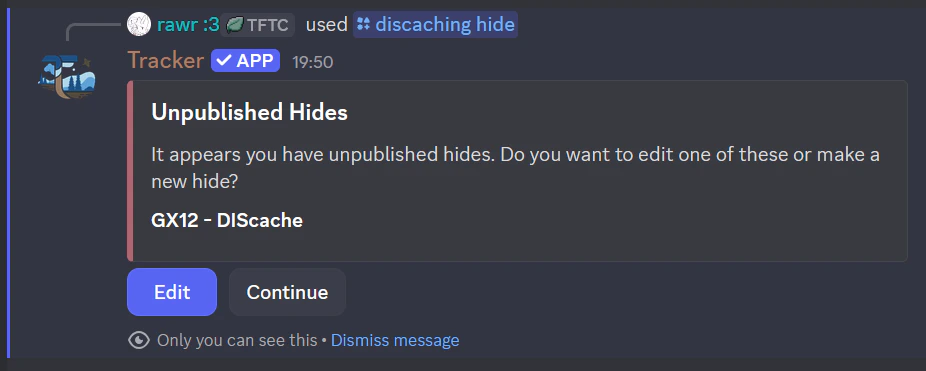
* Your hide is saved as draft/unpublished first.
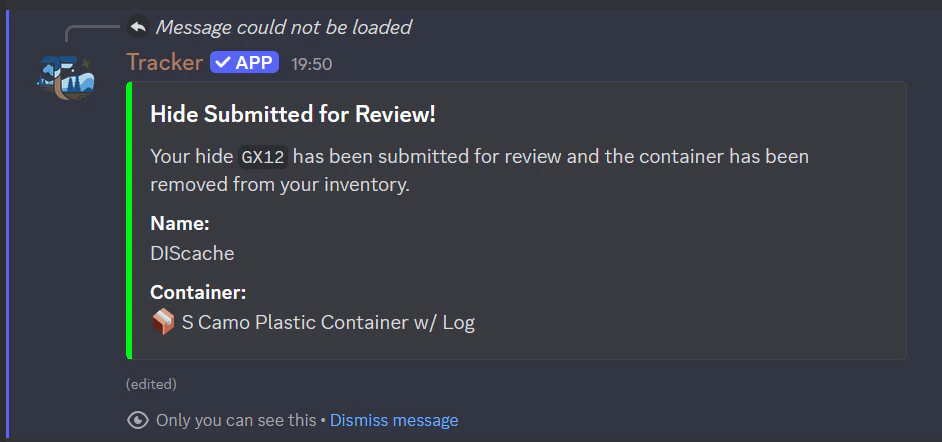
* You submit for review.
* It becomes playable only after approval via a reviewer.
* Reviewers include @not.cbh and @echoperson.
## Hiding a Cache
Use `/discaching hide`.
### What you need
* A container in inventory.
* Required hide details:
* Name
* Description
* Location
* Difficulty
* Terrain
* Container choice
* Pen (optional)
### Location rules
* You can select the location via the map.
* If another published cache is too close, you cannot place a cache there.
* If the selected location is too far from your current position, you need to travel there first.
### Container and logbook behavior
* Containers can have size/color/log modifiers.
* If container has no logbook, you must choose one to hide it.
* Larger containers can include an optional writing instrument.
### Publish flow
* Your hide is saved as draft/unpublished first.
* You submit for review.
* It becomes playable only after approval via a reviewer.
* Reviewers include @not.cbh and @echoperson.

 ## Finding a Cache
Use `/discaching find`.
### Find checks
* Cache must exist and be published.
* You cannot find your own cache.
* You must be near cache (about 0.1 km / 100m).
* For a Found It log, you need a usable writing instrument unless the cache already has one.
### Log types
* Found It
* Did Not Find
* Write Note
Favorite point is only relevant for a Found It log.
### First To Find (FTF)
* FTF is awarded when you are the first to post a '`Found It`' log on that cache.
### Swag Exchange
On eligible cache sizes, you can exchange:
* Swag
* Stickers
* Trackables
## Finding a Cache
Use `/discaching find`.
### Find checks
* Cache must exist and be published.
* You cannot find your own cache.
* You must be near cache (about 0.1 km / 100m).
* For a Found It log, you need a usable writing instrument unless the cache already has one.
### Log types
* Found It
* Did Not Find
* Write Note
Favorite point is only relevant for a Found It log.
### First To Find (FTF)
* FTF is awarded when you are the first to post a '`Found It`' log on that cache.
### Swag Exchange
On eligible cache sizes, you can exchange:
* Swag
* Stickers
* Trackables